
Why I’m making this game
People who have been following me for any extended period of time might be aware already — but I’ve already tried to make games quite a few times in the past. From unused animations to failed prototypes, I’ve pretty much always given up after a week or two of intense work. Yet, over this past decade, I’ve worked on several projects ranging from small animations for undisclosed demo to regularly adapting game interfaces from one language to another; always pushing through no matter how little interest I could’ve in the project I was working on and bringing them to completion.
This is likely any other fellow creative mind has felt at least once in their life, if not like me on a regular basis, but working for others is so much easier than working for yourself. You don’t have any attachment, you don’t need to second-guess yourself and start thinking, right after taking a few steps: “but will it be worth it?”. You just do it.

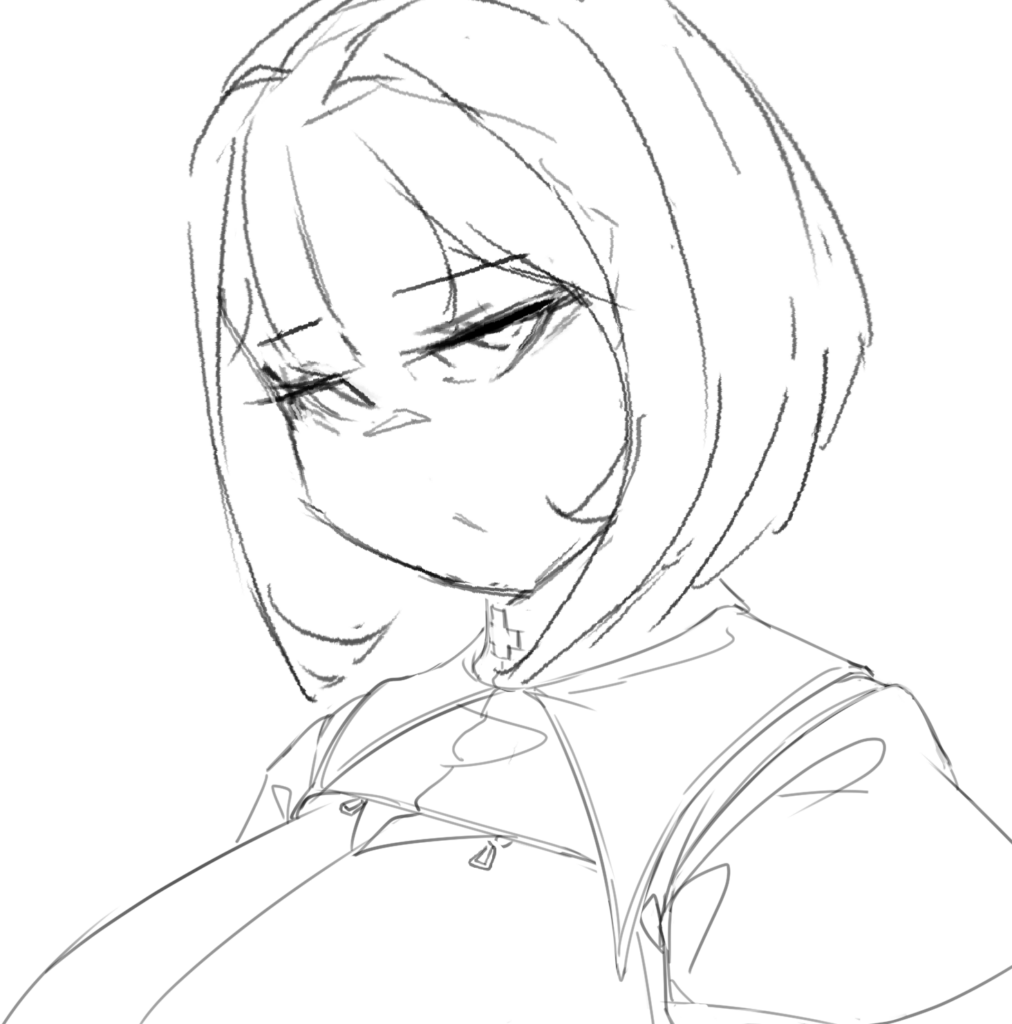
Old animation-concept art for a discarded “clicker” prototype
But I’m getting older, and I think it’s great time I put those oscillating thoughts away. I’ve decided to stick to one specific project, giving myself enough inner introspection to go back to all of my roots, to all of my own tastes and create a small game that I would want to play. I’m going into this with a specific mindset: It doesn’t matter if it’s unsuccessful, I can always, and likely will, make another one later. But I need to make one first and gain that experience, and that satisfaction of finally creating a stand alone product I can be proud of.
The concept: Milking ’em all
So what will it be?
Well, here’s the thing. Ever since I was a kid, I’ve always loved card games. I remember back then drawing fake cards on some sheet of papers, cutting them up and putting some ugly doodles on them and showing them to my mom. An old core memory I had forgotten until very recently. Of course, I also had the usual normal TCG cards most kids had. It was only about a decade ago that I really fell in love with card games though: Yu-Gi-Oh!, Hearthstone, Legends of Runeterra, Pokemon TCG, heck even Genshin Invokation — I tried them all, and some of them really stuck with me. Yu-Gi-Oh! still hold the dearest place in my heart for its creature designs, though it can be extremely sweaty meta-wise, while Hearthstone and Runeterra taught me the joys of deck-building throughout their solo mode.
And then comes the ero aspect. I am an ero/NSFW artist, but ironically… I’ve been drawing some very vanilla stuff most of my life. “Ironically”, I say, because that’s not especially the kind of erotic content I like the most. But it always felt the safest. I did have a few slightly more fetish piece like this pregnant Krista Lenz, but never truly committed. That is about to change.
For I have elected to indulge into one of my all-time fetish: women lactation & milking!
I guess, some people call that “hucow” short for “human cows” — but I’ll make this clear first, I don’t like cow aesthetic. Those cow-pattern bikinis or cow ear headdresses do nothing for me. I just love the idea of milk coming out of beautiful breasts.
I spent quite a while trying all kind of poses, and one of my initial idea was to have the girl landing flat on her stomach, her breasts going through a hole as we would see her from underneath and “milk her” from there.
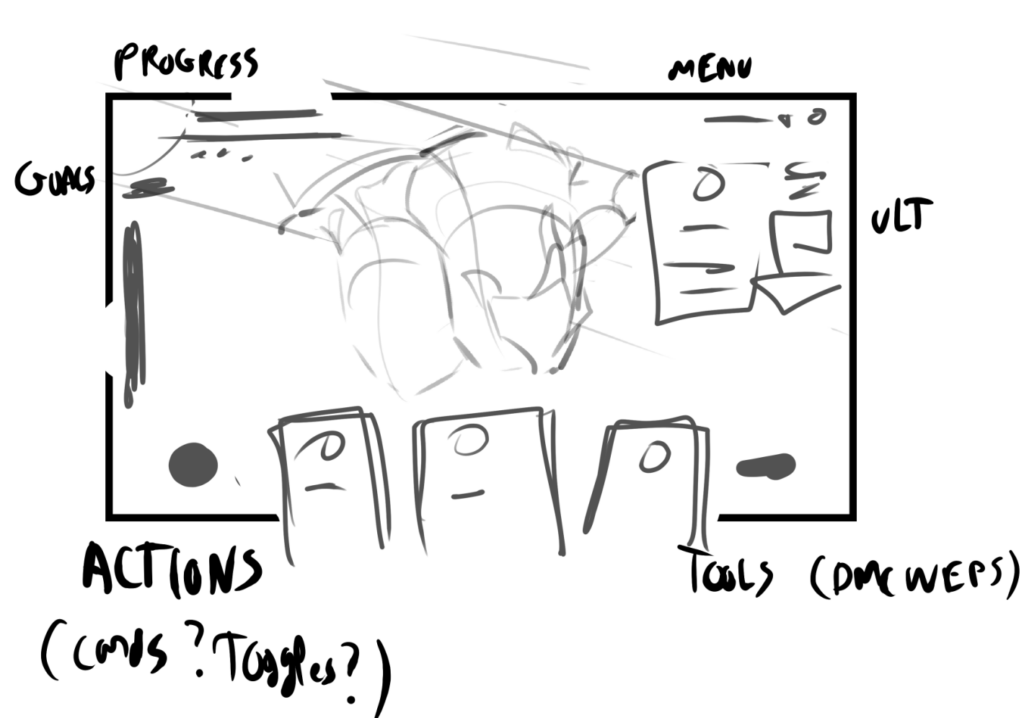
This was honestly boring. The perspective was kind of okay, but that also meant we wouldn’t be able to see anything from the girl OTHER than her breasts. And while the saving grace of this concept was to omit everything else so that I could focus on animating said udders as best as I could, it felt like it’d be simply… unsatisfying in the long run.
The visuals in a game and the way it feels through animations (that will be another entire beast later on) to me are as important as the gameplay itself. Tons of games out there are only successful because they look and/or feel good. Pokemon Pocket TCG has one of the worst UX I’ve ever used in a mobile game, yet it makes billions. Because it’s Pokemon. Others like Honkai Star Rail are dreadfully simple in their gameplay — but they’ve nailed that “satisfying” gameplay where you just want to push buttons and get an immediate reward for it. This is something I really want to focus on.
So I switched to a different perspective. I tried to go for a fully frontal style — and I thought I was good with that for a while.
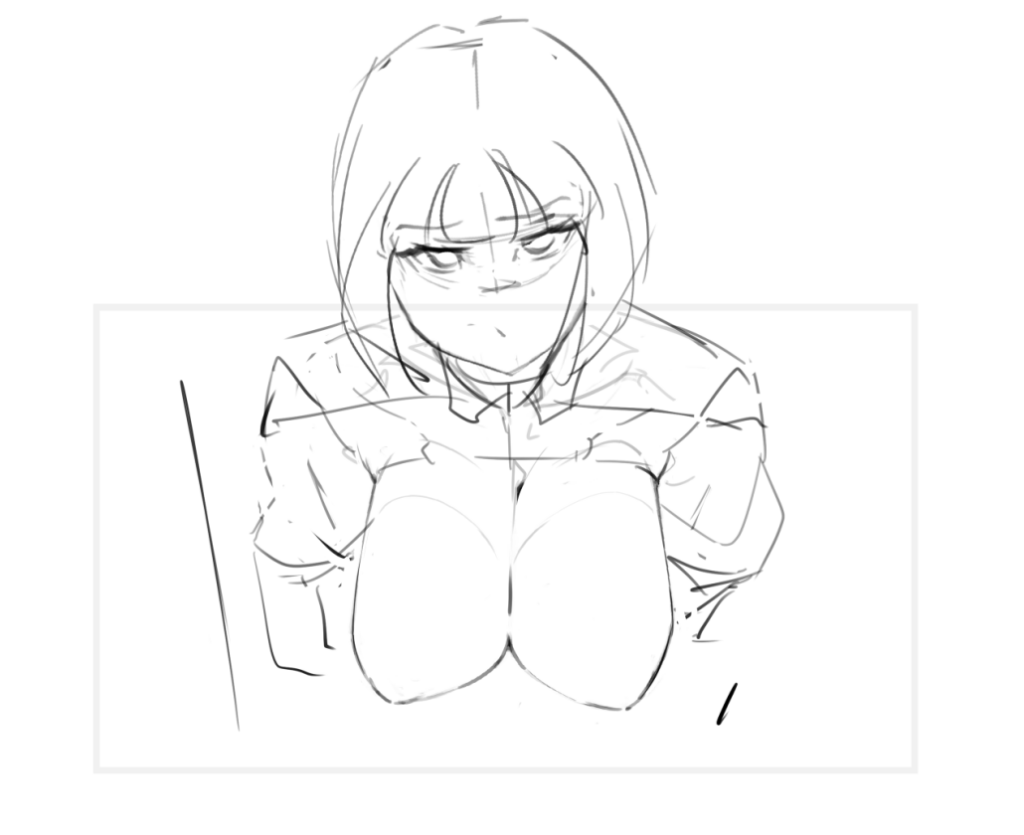
I wanted to go for the “stuck” aesthetic. A very common scenario in NSFW works, but after fiddling with it for a while, two things bothered me:
- It’s too static. I simply don’t like drawing characters heads-on, and while from a gameplay perspective it made sense… I think it ultimately defeated the purpose of making this game “for me”. I intend to work on it for the months to come, and I plan on having multiple girls in it eventually — so, that was not a compromise I was willing to make.
- It actually doesn’t work with my story concept.
Regarding the 2nd point, I’m not going to dwell on the story/scenario I have in mind just yet, this will be done in the future once I do start working on it, but I do want this game to feature some decent interactions that can make you “attracted” to the characters, I don’t want to treat this as a nukige. It has to be a hentai game. Not a hentai with some game or a game with some hentai. Catch my drift?
Anyhow, the characters can’t be stuck, because they’re doing this willingly. It’s their job.
And thus, after more rounds of trial&errors — that’s what I currently have.
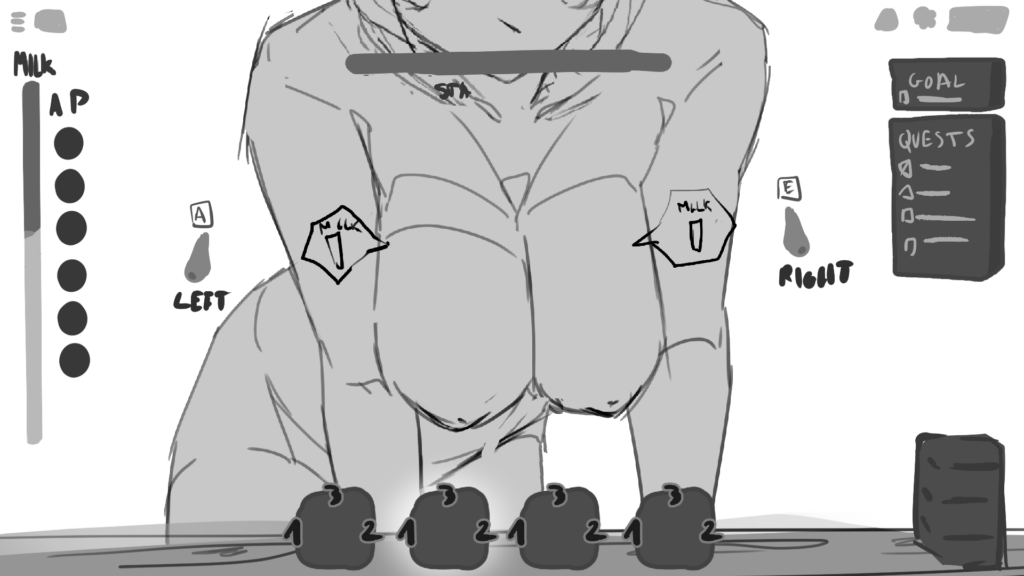
Tentative Concept Art
It’s obviously not 100% final, but it’s still “frontal” enough that it gives a clear view on the breasts, offers decent animation possibilities and offers a lot of empty space for all the UI elements I will need gameplay-wise. None of the UI is final either (obviously) but I’m starting to feel good about it.
One thing you might’ve noticed in all of those screenshots is that you cannot see the face. Checking out what other people have done in the past, this might appear uncommon at first sight, especially for a hentai game. But guess what — Overwatch is a highly successful game (that I actually love), featuring heroes that have become widely popular (including on a certain yellow&black website)… yet you cannot even see their head in-game. So I don’t think it’s an issue at all as long as enough characterisation is given outside of the main gameplay loop, which there will be.
I also spent a while designing outfits, I want this game to be fully “original” and treat it with respect in every aspect, but I’m not 100% satisfied with the results yet, and I still don’t know the global vibe I truly want to go with. So I won’t be posting any, but don’t expect the final girls to be nude all the time or wearing only tight bikinis. I think it’s much more interesting if each costume/design can tell a story by itself, and for that you do need to put on some tissue.
Gameplay & tools
As the title suggests, I will be using Godot throughout this game-making journey. An open-source, lightweight game engine that I think will be perfect for the kind of game I want to make: a single-player deck-builder, where the goal will be to extract as much milk as possible in as little turn as possible.
If you’ve played HSR with its new game mode “Currency War”, that’s also been a huge inspiration. You cannot die in this mode, but you WILL lose turns if your HP go to 0 and lose the battle if the timer expires. So the timer essentially acts as your lifebar and then it’s up to you to manage your cards (skills in HSR) and builds properly to pass.
I won’t say much more regarding all of that in this specific post yet, because everything is still way too subject to change, but that’s basically the idea for me as well. There’s all kind of systems I’m thinking of to make that viable, easy to understand, but fun and slightly complex to master. Creating crazy combinations and beating the same enemy with different builds is something I personally greatly enjoy, and that’s something I want to recreate but with an erotic perspective.
Creating a card system in Godot
Godot mainly accepts two languages out of the box, that is GDScript and C#. I’m going with GDScript, it’s not the best performance-wise but it’s so easy to write, and my game being all 2D with no heavy computation whatsoever, it should work perfectly fine.
I’m going to address the elephant in the room right away though, I know there are Card Game frameworks already made for Godot (or other major game engines), namely one by db0 that looks really, really good and fully-featured.
But while I have gained some experience with Godot through my many failed projects, and I have a background in PHP/SQL (mainly OOP) development, I’m still very new to game programming in the grand scheme of things.
Hence why I’ve chosen to re-build everything from scratch. It’s not so much reinventing the wheel as learning how the wheel is made. A few weeks prior to engaging in this project, I had tried making a prototype about using dices instead of cards — the dices would give a random number and have affixes attached to them, and then you’d combine both to achieve higher&higher numbers and wager against an opponent. It sounded fun, and I might still go back to that concept one day, but the thing is I had no idea how to organise my code properly to make it scalable. It was also supposed to be a roguelite.
I had to look up lots of new concepts/paradigms, including the Factory Pattern and Strategy Pattern, but by the end my code was all too spaghetti and I dumped it all (I’m obviously keeping my notes around though).
But this means that I could tackle any new game project with that newly gained knowledge, and properly create a view-agnostic, independent card system from the ground up.
It’s not fully finished yet, but it’s already working quite alright. So far, here’s how the system goes.
- Cards (that I’m naming “Actions” in my game, because they represent the player’s actions) are Resources
- Effects are Resources as well
- Cards have a list of Effect resources attached
- Cards have an is_playable function looping through each effects’ can_play function (returning true or false after)
- And when comes the time to apply a card during gameplay, I can loop through the effects and individually apply them
Splitting Cards and their Effects into distinct class was absolutely crucial.
It allows me not only flexibility but individual validations&resolutions of each effect independently from the card it’s attached to.
For example, I wanted to be able to create a card that would say: “At the start of the turn, extract 1L and restore 1 stamina. Lasts 2 turns.”. There’s a surprising amount of different parameters such a card would need to check:
- The effects need to last 2 turns
- This meant that each effect needed its own timer/ticker
- It applies at the start of a turn
- This required some kind of timing check
- The card itself takes effect right away, but since the effects last the visual indicator needs to stay
- So I had to make sure cards could be “latent”, hence an extra parameter
The way I tackled all of that was to create a Base Effect Resource type, and each of my individual effects would also be Resources but extending the Base Effect::can_apply method and overwriting it with their own check. Thus, I can truly make each of my effect flexible with as many parameters as I want, and then all I have to do it to attach them one by one to an Action card to create a custom card. It’s like creating my own card editor within Godot’s interface.
Here’s how it looks in code.
# EffectStructure.gd

extends Resource
class_name Effect

enum Timing { ON_PLAY, TURN_START, TURN_END }
enum Type { ONE_SHOT, CONTINUOUS }

@export var effect_name: String
@export var effect_desc: String

@export var timing: Timing = Timing.ON_PLAY
@export var type: Type = Type.ONE_SHOT
@export var duration: int = 0

func can_apply(player, girl: Girl, target:int) -> bool:
	return true

func apply(player,girl: Girl, target:int) -> void:
	pass
# MilkDrainEffect.gd

extends Effect
class_name MilkDrainEffect

@export var amount: float = 0.1

func can_apply(battle:Battle, girl: Girl,target: int) -> bool:
	# perform any kind of validation, passing info from the gameplay scene (battle manager and turn manager)

func apply(battle:Battle, girl: Girl, target:int)-> void:
	# perform actual effects
Then came another challenge: handling timers, and keeping track of the cards. The solution though was actually simple. All I needed was one thing to solve both at the same time: creating two new classes, CardsInstance and EffectsInstance.
extends Node
class_name ActionInstance

var id: int
var remaining_ticks: int
var source_action: Action

func _init(id: int, action: Action) -> void:
	self.id = id
	self.source_action = action
	self.remaining_ticks = action.duration
extends Node
class_name EffectInstance

var effect: Effect
var battle: Battle
var remaining_ticks: int
var girl: Girl
var target: int
var source_action: Action

func _init(effect: Effect, battle: Battle,girl: Girl, target: int) -> void:
	self.effect = effect
	self.girl = girl
	self.battle = battle
	self.target = target
	self.remaining_ticks = effect.duration
Up until then, I had dealt with direct instances of the Effect and Card classes, but just like that, I could attach a unique id to any of my cards (action) and an independent ticker to the card and each effect(s), because I would only manipulate runtime instances of the cards, not the actual, hard-loaded Resource. After all, you can’t just create an ID field to the resource and update it at runtime, or it’d update the Resource file for all further battles later on if you then save it. That’s just completely inefficient. Plus you wouldn’t be able to attach any other runtime parameters without blowing up the Resource structure file.
# BattleManager.gd

extends Node
class_name BattleManager

...

var persistent_actions: Array[ActionInstance] = []
var next_action_instance_id: int = 0

var pending_effects := {
	EffectTiming.ON_TURN_START: [],
	EffectTiming.ON_TURN_END: []
}

var active_effects := {
	EffectTiming.ON_TURN_START: [], # => contains multiple effects here, [EffectInstance1,EffectInstance2,...]
	EffectTiming.ON_TURN_END: []
}

func action_resolver(played_action: ActionInstance):
# This is where I can loop through all the effects, and use Effect.apply() when matching the EffectTiming
Anyway, then during the gameplay, all I have to do is emit a signal from my turn handler that says “hey, we’re entering the Start Phase, or the End Phase, or the Draw Phase” (they’re all into an enum, making it easy to reference and have auto-completing and typecheck for) and when it kicks in, I can loop through the instanced_effects/cards and tick the timer. Once it reaches 0, I remove them from the array.
Overall, everything is working rather smoothly, and much better than I even initially expected, it’s fully scalable, and if I want to reuse it for another game later on (which could very likely happen), all I’ll need is to change all of the parameters to adapt it to a different gameplay. Actions in this game will be played/managed through Action Points, a cost like Mana in hearthstone or Runeterra, but it could have anything else attached instead (SP if it’s an active-RPG system, summon type for a more classic dueling TCG, and so on). The combination of having the pure Card object and the Instanced version make it even more flexible. It’s basically being able to attach runtime data to stored data.
The Battle Manager and Turn Manager (my main battle handlers) are the script where everything is basically put together, and the ones defining the flow of the game. If I had to reuse my card system for another game, that’s the two I would have to tweak or rewrite the most. Decoupling, yay!
Tentative Roadmap and closing thoughts
Obviously, there is a LOT to do. My goal is to make a Minimum Viable Product demo in a reasonable timeframe, the demo would need to include: a brief story interaction to set the tone, a deck editor, and the main gameloop (milk extraction orders).
I still have work to do on the card system itself, there are some key features still missing, but it shouldn’t take too long.
Then I’ll need to work on both the visuals and the visual-novel-like dialogue/story system. I would love if the game could feature some kind of map traveling (even with just a 2D map), but that would come much later. There’s a surprisingly huge amount of visuals to create, which not only include sprites and their animations, but also card design, gauge designs, screens like selecting clients, editing decks, lose/victory screen and report, dialogue boxes, pause screen, save/load system and so much more. It’s almost overwhelming but I’m writing down everything as I go, and I’ll just tick the boxes one by one.
Hopefully I’ll have some fresh new things to show in my next devlog. I focused a lot on coding for those first two weeks or so, and I kinda want to start leaning a bit more into the visuals next. At least maybe having decent static artworks, or a definite settings&color mood design.
But for now, thanks for reading if you did!
Don’t forget to follow me on bluesky or twitter for more of my art.